
Paste a job link, understand the role, then decide what to do next
Step 1, analyze a role
See what the role is really asking for before you spend time tailoring your application. If you do not have a job picked out yet, you can still create an account and start tracking your search.
Drop in a role from LinkedIn, Greenhouse, Lever, or a company careers page.
Get a concise summary, requirements, and practical guidance about how to approach the role.
Create an account to save the role and continue with tracking and resume match.
From job analysis to resume matching
What does a match score help you change?
The preview above explains the posting. Comparing your own resume is a separate step in your account: save the role, attach the version you want to assess, then run resume match.
Fictional example: a Customer Success Manager role asks for ownership of SaaS onboarding. Your document says you coordinated launches, but does not explain your responsibility. Review the gap, then add a truthful example of your scope if you have it. Do not add experience just to raise a score.
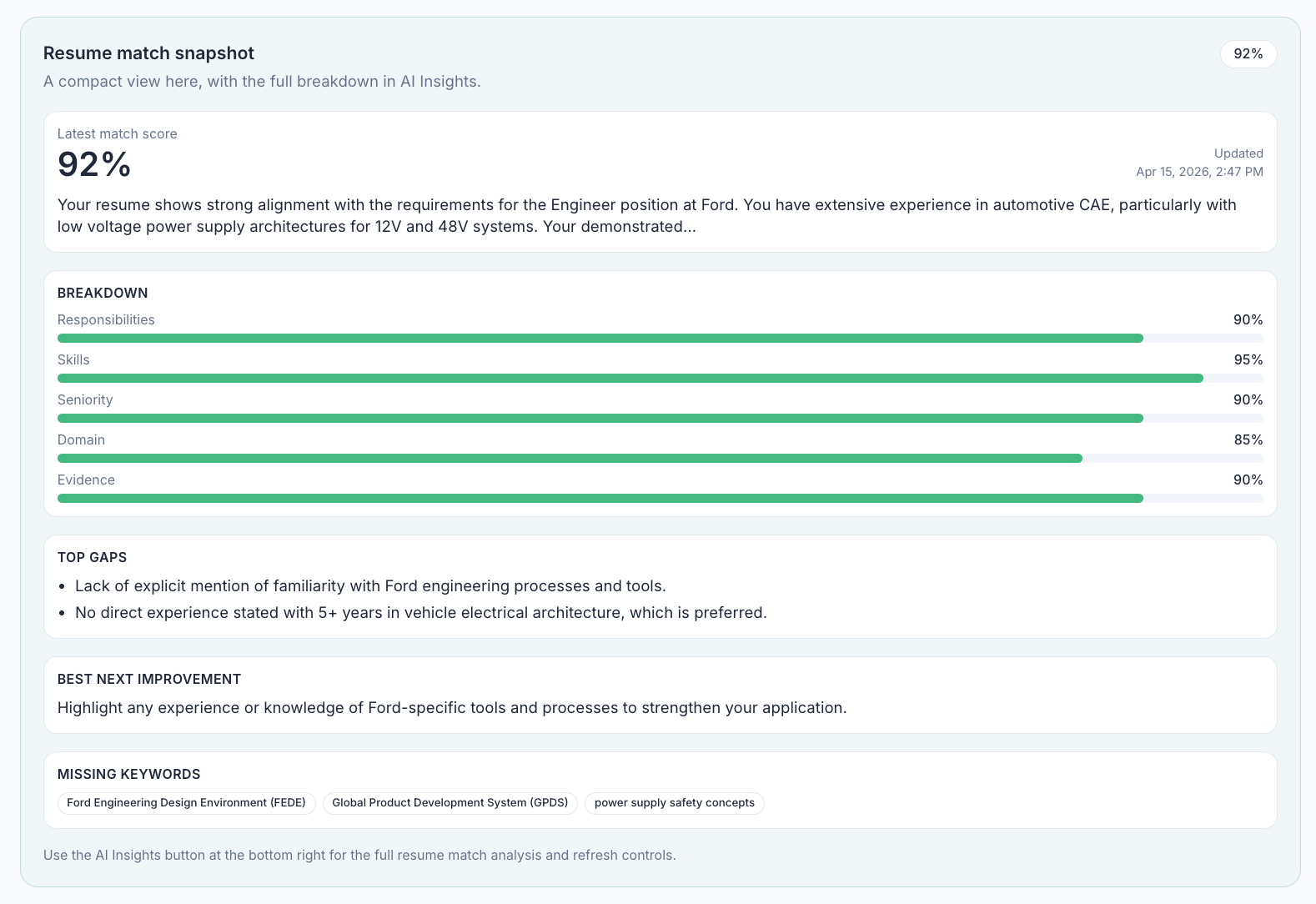
ATS and recruiter-fit labels are ApplyArc estimates of alignment and evidence, not a result obtained from an employer's ATS or recruiter. Check the breakdown and the original requirements. Free Starter has limited AI allowances; the 14-day Pro trial and Pro provide broader access. Check plan details.